Appearance
Media
Fields that use a file (a texture's image or video, an OBJ's src, a sound, a skybox) are media pickers. The field shows the current file. Click it to open the list of that kind of file just below, with a search box, the size and date of each file, and a drop zone.
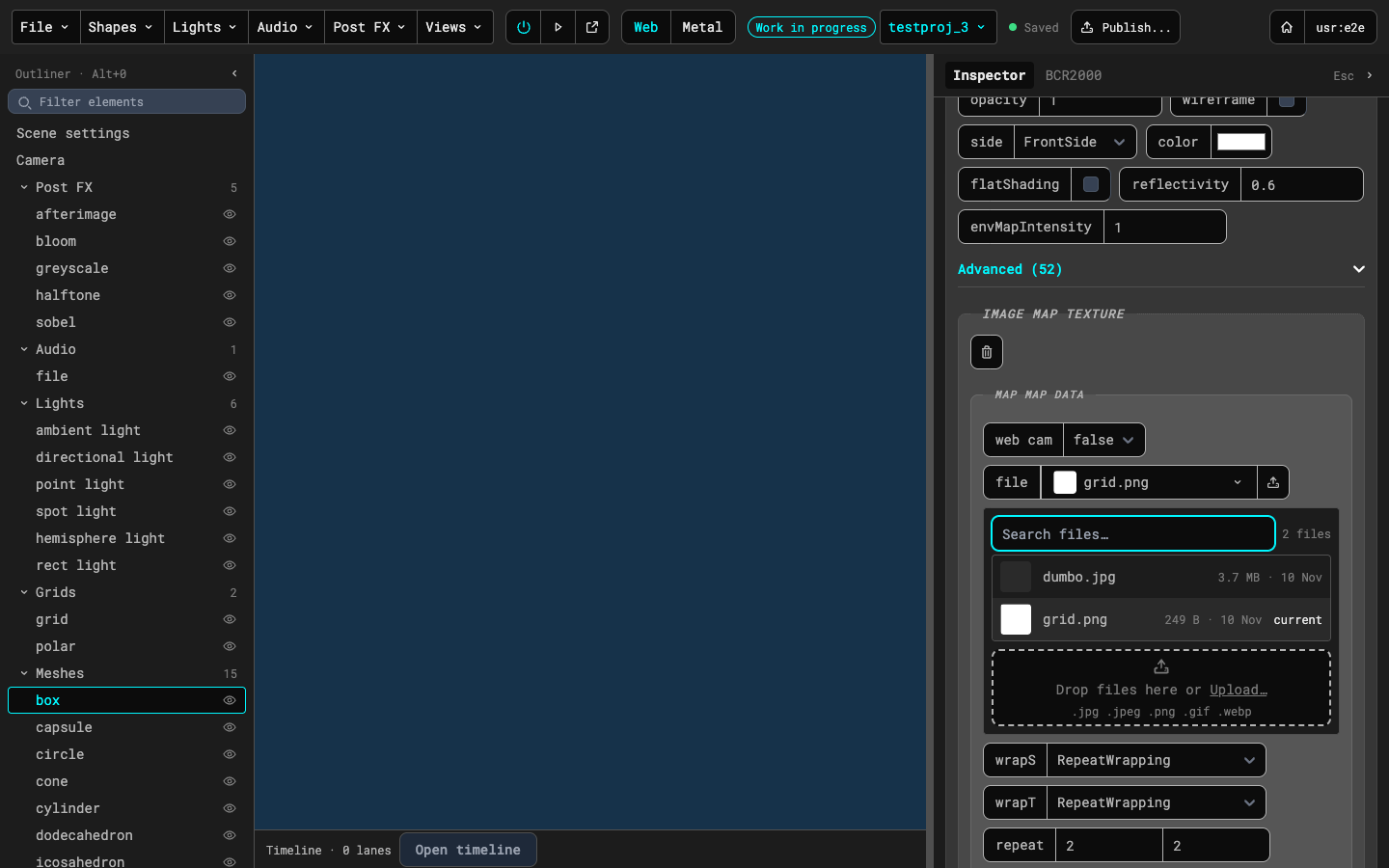
- Pick a file by clicking it. The list closes and the field shows the name.
- Search by typing in the box at the top of the list.
- Upload with the button at the end of the field, or drop files on the drop zone. Uploads show their progress and can be cancelled. A file can't be uploaded if its type doesn't fit the field (images take jpg, jpeg, png, gif and webp; videos take mp4, mov, webm and m4v; sounds take mp3, wav, ogg, m4a and aac; OBJs take obj and mtl) or if a file with that name is already there.
- Skyboxes are six images that make a cube around the scene. The skybox field lists the skyboxes already in the media folder, and Add skybox... makes a new one from a name and its six faces.
- Missing files: when a scene names a file the media folder doesn't have, the field shows a red notice with Upload it... and Pick another. Nothing changes until you choose one.