Appearance
Publish
Publish makes a package that plays a scene on another computer (a gallery machine) with only a browser: no editor, network or database. It leaves the shared media folder alone.
Open File > Publish... (or the Publish... button on the toolbar). The dialog is named for the version, for example Publish testproj_3. It shows:
- Changes since the last package, or that this is the first package of the scene.
- Media in this package, each file with its size, and the package's total size.
- Fix before publishing: problems that stop the package, such as a file the scene names that isn't in the media folder. Fix them in the editor and open Publish again.
- Warnings, such as custom functions that may load files by name; Publish can't see inside code, so check them on the gallery machine.
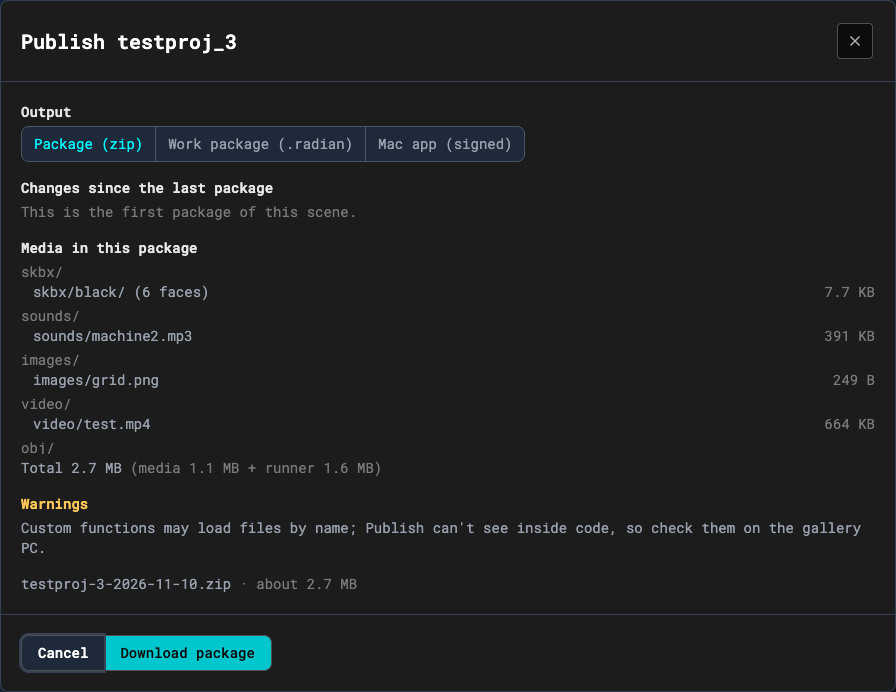
Press Download package. It builds a zip named for the project, version and date, and your browser downloads it. Copy the zip to the gallery machine. Unzipping it, starting it, and making it start with the PC are in the package's own instructions: apps/runner/package/README.txt in the repo.