Appearance
Keyboard shortcuts
Press ? (or ⌘/ on a Mac, Ctrl+/ on Windows) to see the list in the editor. The Alt number keys, ⌥R, ⌥⇧S and ? don't fire while you're typing in a field, and ⌘/ or Ctrl+/ leaves the code editor's own comment key alone. The arrows that step a sequence don't fire on a slider, a select or a list, or in a dialog. Save, Publish, Play, Refresh and Duplicate version work everywhere.
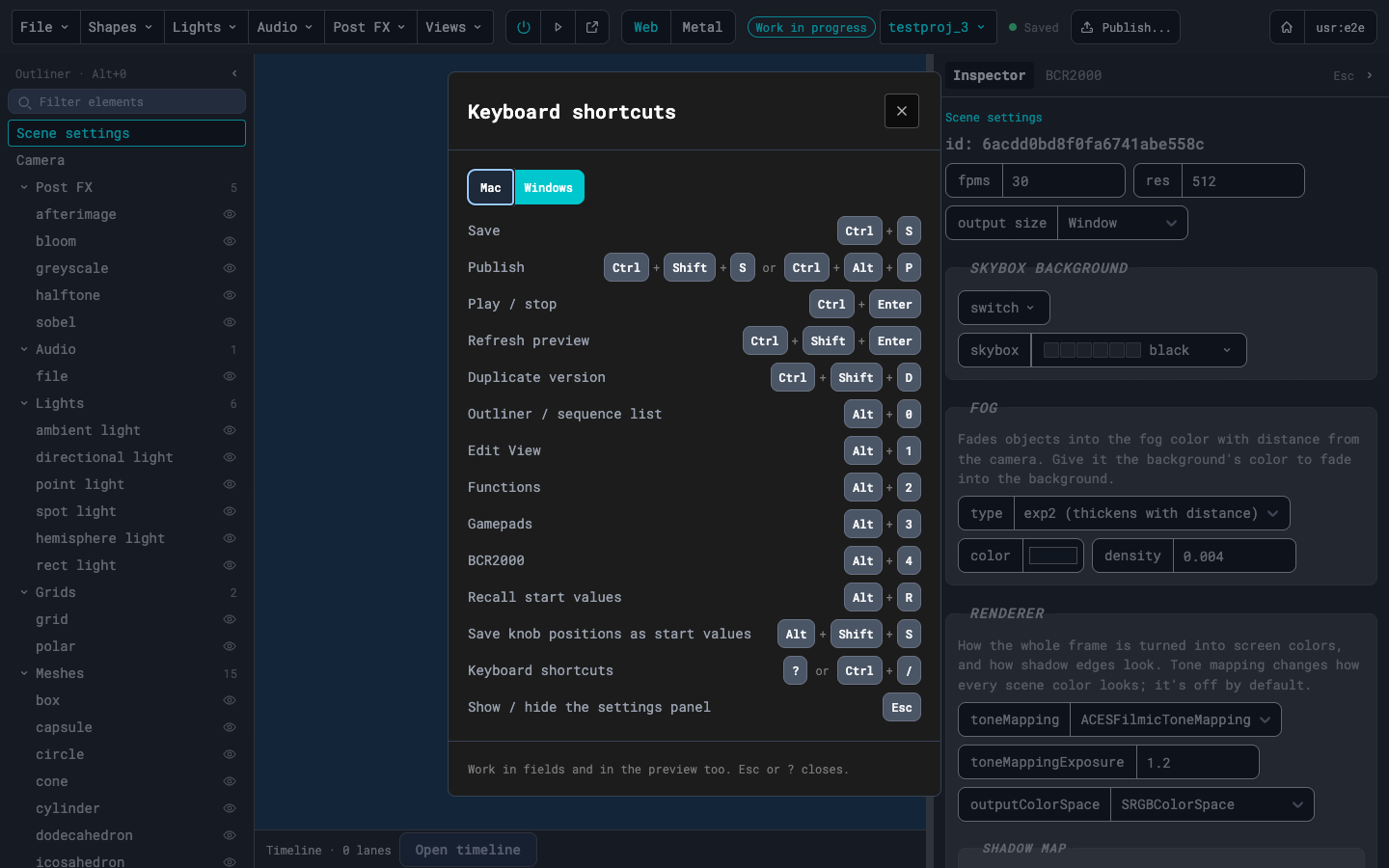
| Action | Mac | Windows |
|---|---|---|
| Save | ⌘S | Ctrl+S |
| Publish | ⇧⌘S | Ctrl+Shift+S |
| Publish | ⌥⌘P | Ctrl+Alt+P |
| Play / stop | ⌘↵ | Ctrl+Enter |
| Refresh preview | ⇧⌘↵ | Ctrl+Shift+Enter |
| Duplicate version | ⇧⌘D | Ctrl+Shift+D |
| Outliner / sequence list | ⌥0 | Alt+0 |
| Edit View | ⌥1 | Alt+1 |
| Functions | ⌥2 | Alt+2 |
| Gamepads | ⌥3 | Alt+3 |
| BCR2000 | ⌥4 | Alt+4 |
| Recall start values | ⌥R | Alt+R |
| Save knob positions as start values | ⌥⇧S | Alt+Shift+S |
| Next scene | → | → |
| Previous scene | ← | ← |
| Keyboard shortcuts | ? | ? |
| Keyboard shortcuts | ⌘/ | Ctrl+/ |
| Show / hide the settings panel | Esc | Esc |
The runner's own keys, when the preview has focus:
| Key | What it does |
|---|---|
| H | Shows or hides the runner's info panel |
| N | Next scene in a sequence |
| P | Previous scene in a sequence |