Appearance
Toolbar menus
Point at a menu or click it to open it. Click its name again to close it. The keys next to an item are its shortcut (see Keyboard shortcuts).
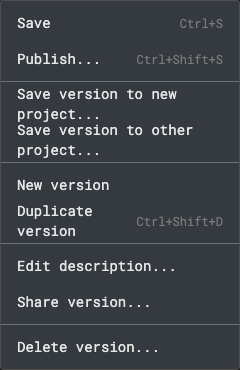
File
Save, Publish..., Save version to new project..., Save version to other project..., New version, Duplicate version, Edit description..., Share version... and Delete version.... What each does is in Saving, versions and status and Publish.
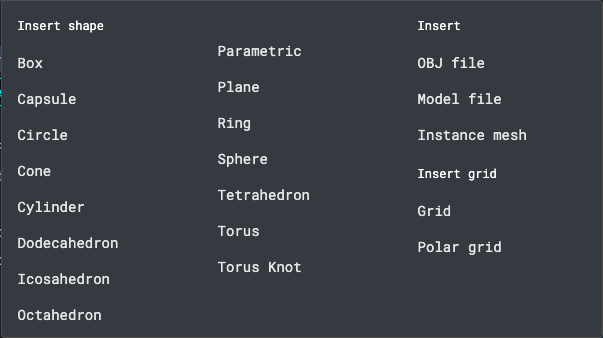
Shapes
Adds an element to the scene and selects it. Insert shape: Box, Capsule, Circle, Cone, Cylinder, Dodecahedron, Icosahedron, Octahedron, Parametric, Plane, Ring, Sphere, Tetrahedron, Torus and Torus Knot. Insert: OBJ file and Instance mesh. Insert grid: Grid and Polar grid.
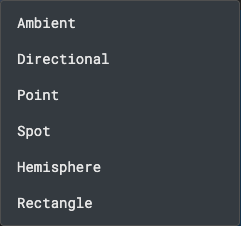
Lights
Ambient, Directional, Point, Spot, Hemisphere and Rectangle.
Audio
Adds a scene-level sound file. Oscillators are positional audio: add them from a mesh's or OBJ's insert menu.

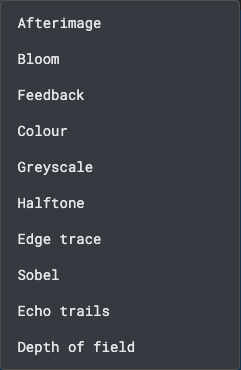
Post FX
Adds a post-processing effect: Afterimage, Bloom, Colour (per-channel multiply, invert, wrap or fold and offset, then hue, saturation and lightness), Depth of field (f-stop and focal length, the largest blur, bokeh blades and angle, then the camera's Focus distance, Units per metre and an element for the focus to follow), Edge trace (vz.tracr's outline: edge contrast, line width and invert), Feedback, Greyscale, Halftone or Sobel. Depth of field blurs by distance from the camera's focus with a real lens model: Units per metre says how big a scene unit is (10 by default, so a 300-unit focus is 30 m away), and a new pass starts with Focus distance at 10, which makes most scenes soft, so set it to the distance of your subject. Focus on element makes the focus follow that element, so its own motion pulls focus. A dial or track on Focus distance has no effect while Focus on element is set, because the element's distance replaces it. Only the first Depth of field pass in a scene runs.
Views
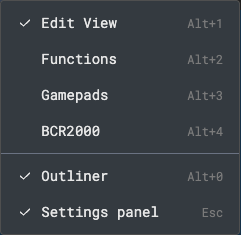
Switches the page: Edit View (the scene editor), Functions, Gamepads and BCR2000. The same menu shows or hides the Outliner and the Settings panel. A check mark shows what is on.
Status
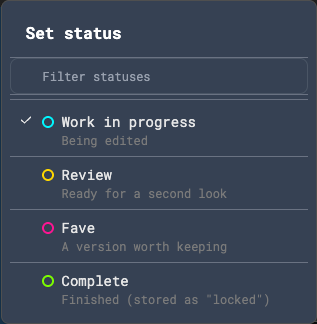
The coloured pill next to the version button shows the version's status. Click it to set a new one: Work in progress, Review, Fave or Complete. Type in Filter statuses to narrow the list. A status saves as soon as you pick it.
Version menu
The button next to the status, named for the open version (for example testproj_3), lists every version of the project with its description. Pick one to open it.
Account
The house button goes to the Projects page. The usr:<name> button opens a menu with Projects, Keyboard shortcuts and Sign out.